Explore TrueMix
Explore the mix-review journey, from choosing a playback setup to understanding results. Click through the screens to see how the product turns feedback into a clear next step.
Problem
Producers can't tell how a mix will hold up on phones, cars, or earbuds until after release — so mixes that sound great in the studio fall apart everywhere else.
Core users
Music producers, mixing engineers, and self-releasing artists who finalize tracks without access to a room full of reference systems.
Product goal
Let creators test how a mix translates across real playback setups and surface fixable issues before a track ever ships.
Product value
Catch translation problems early, ship confident masters, and stop second-guessing how a track sounds outside the studio.
User flow & screen logic
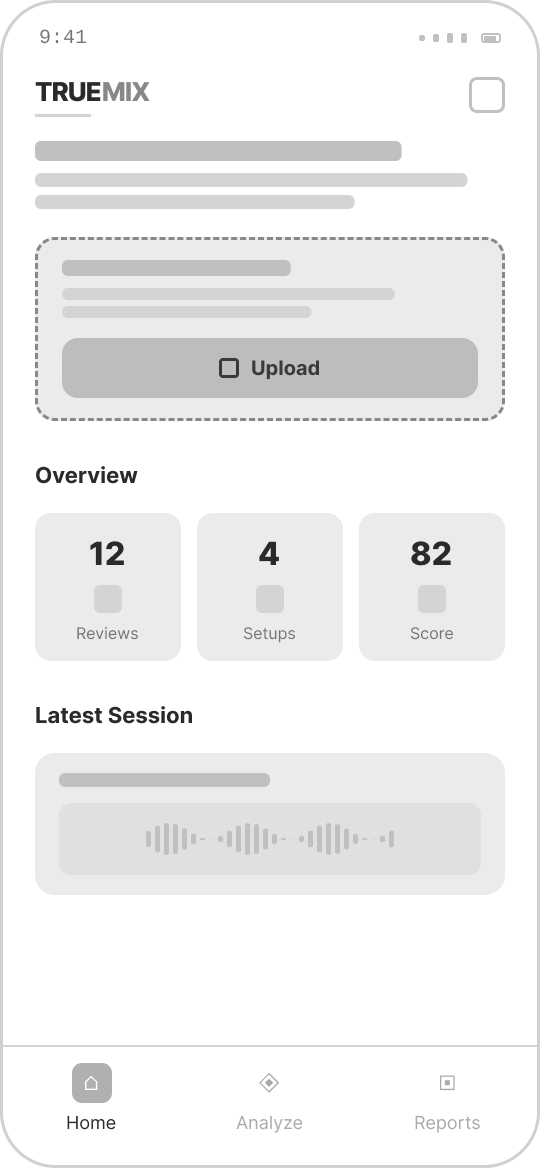
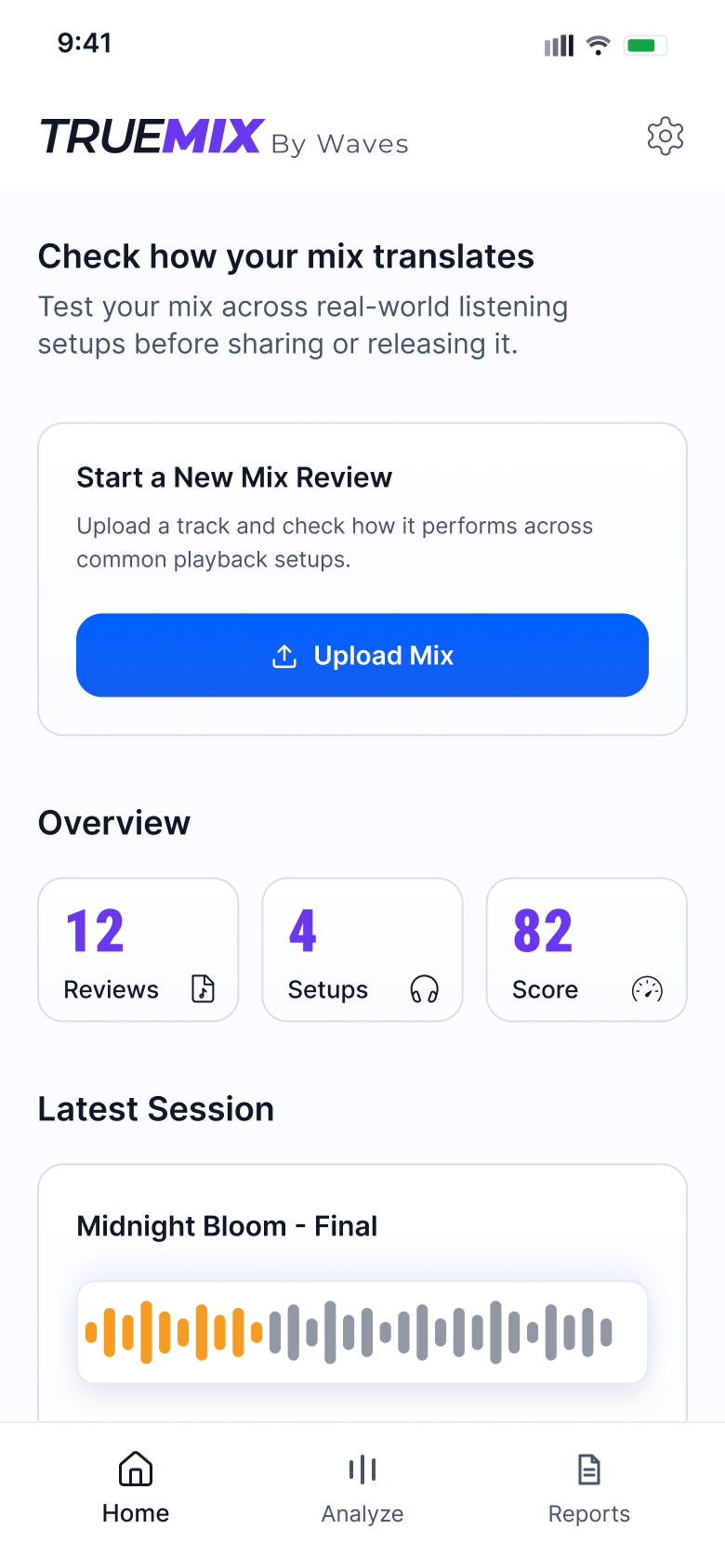
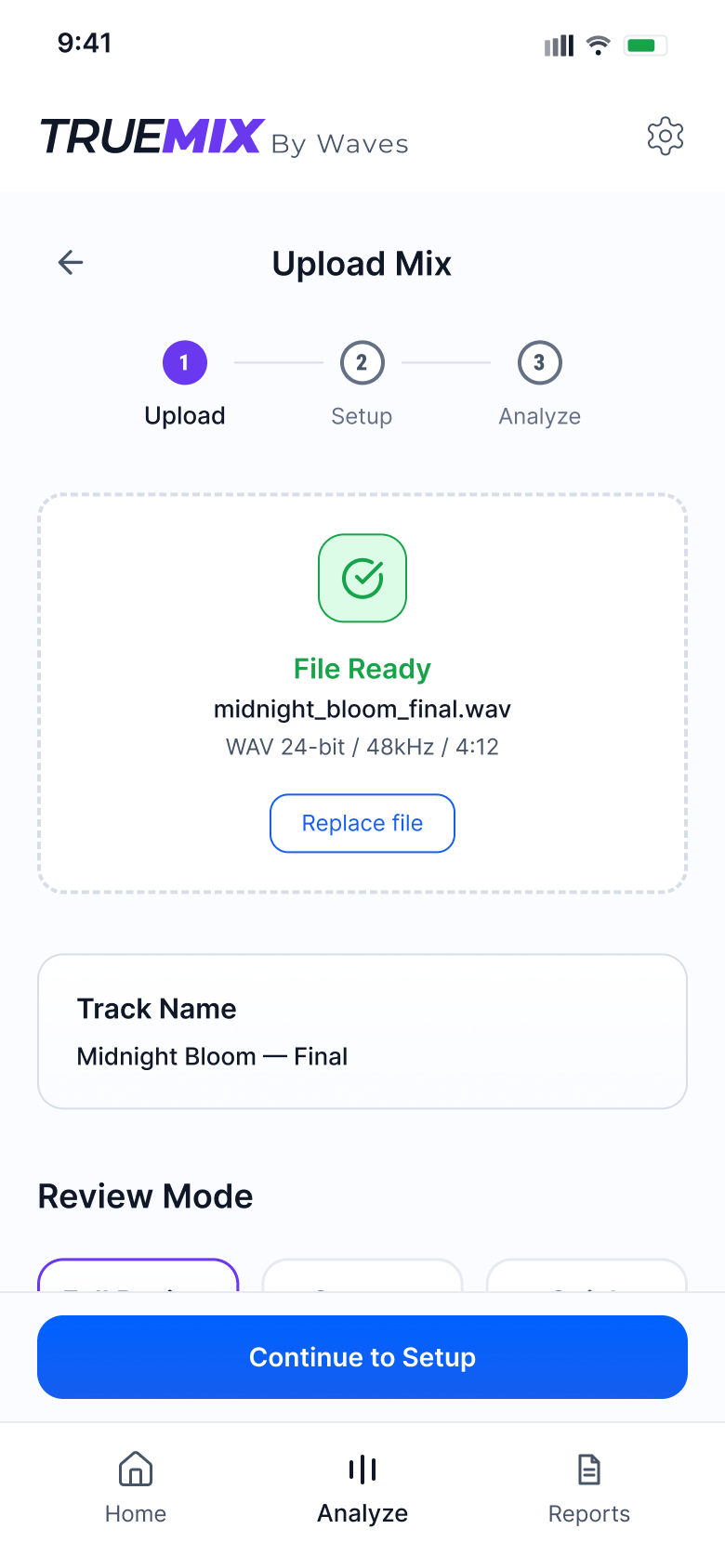
A guided review flow that moves creators from mix upload to setup selection, analysis, recommendations, and final summary without making the process feel technical or heavy.
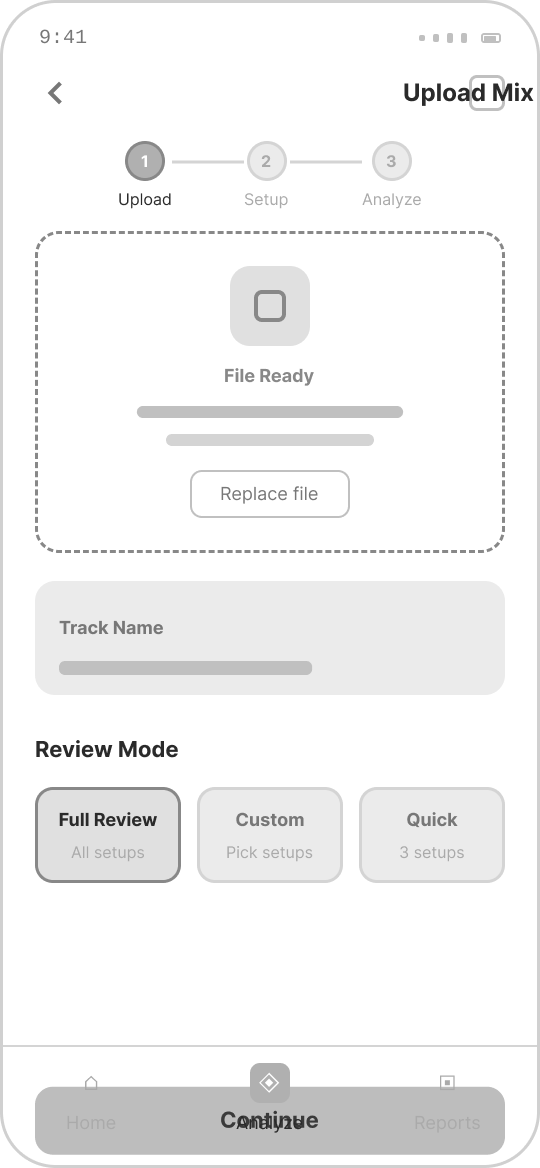
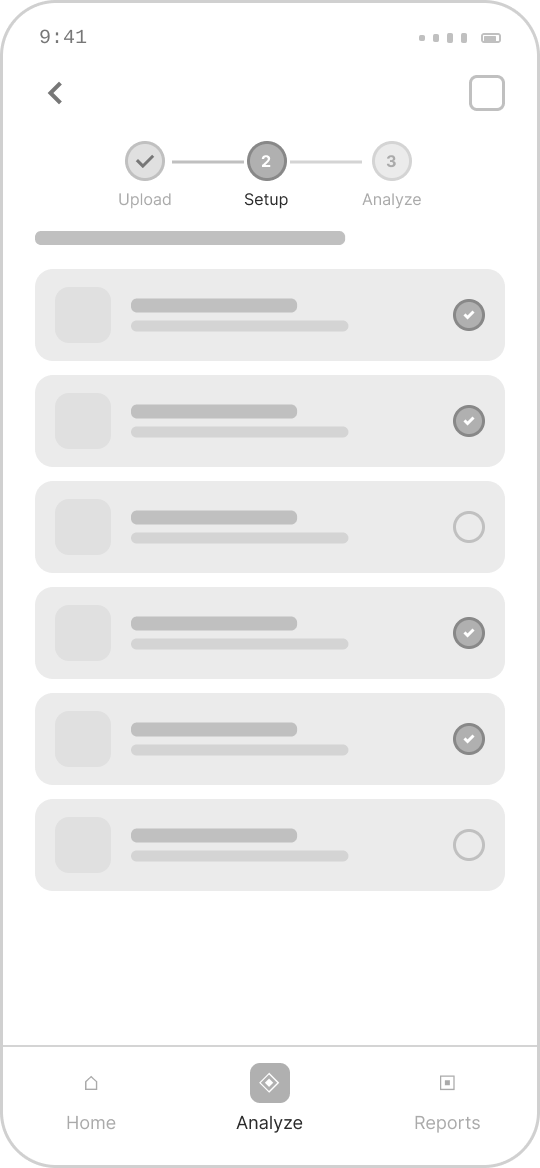
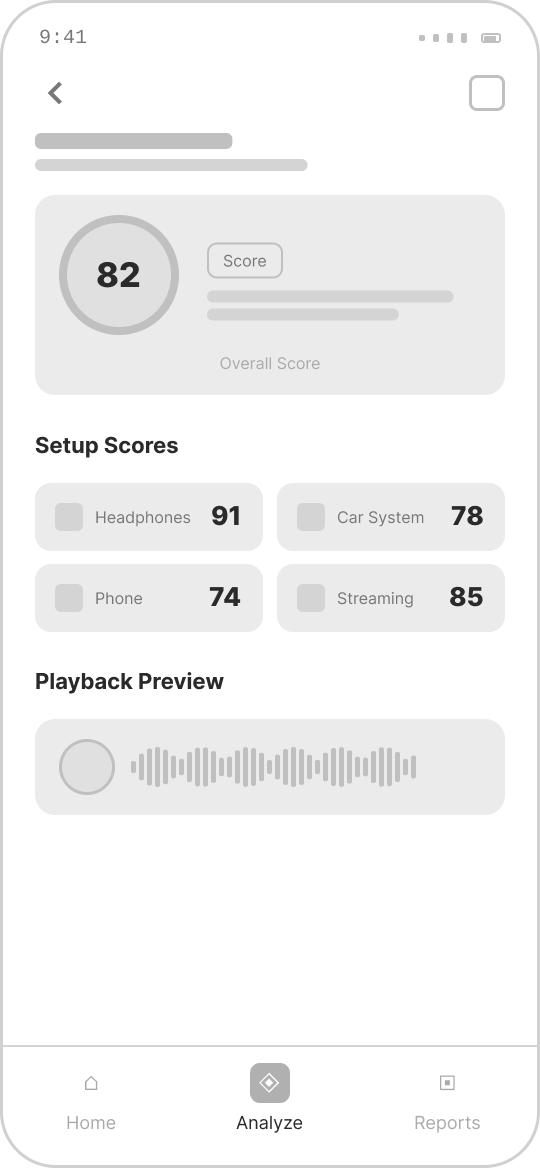
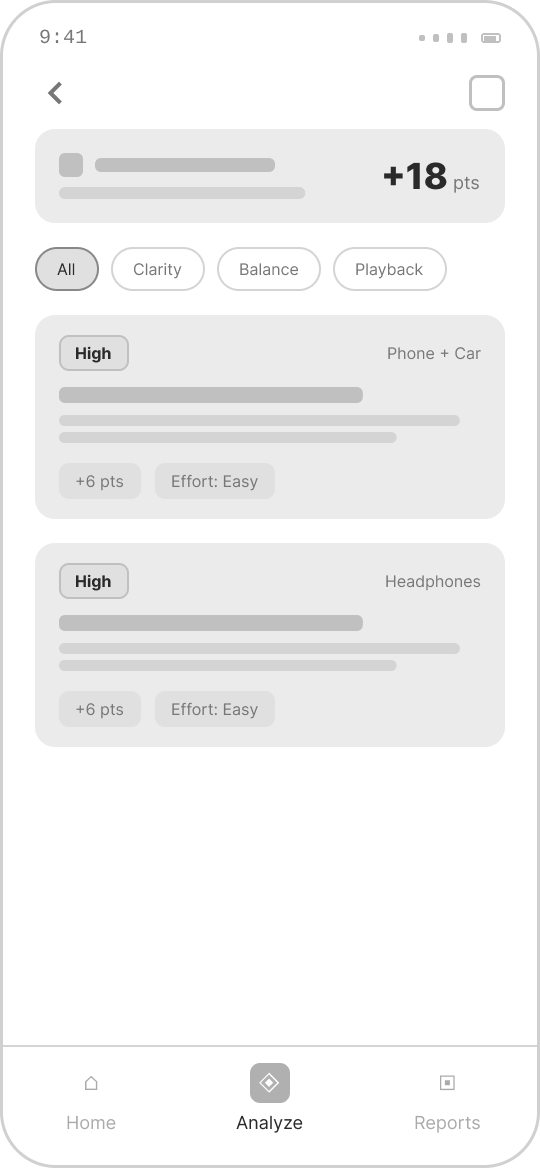
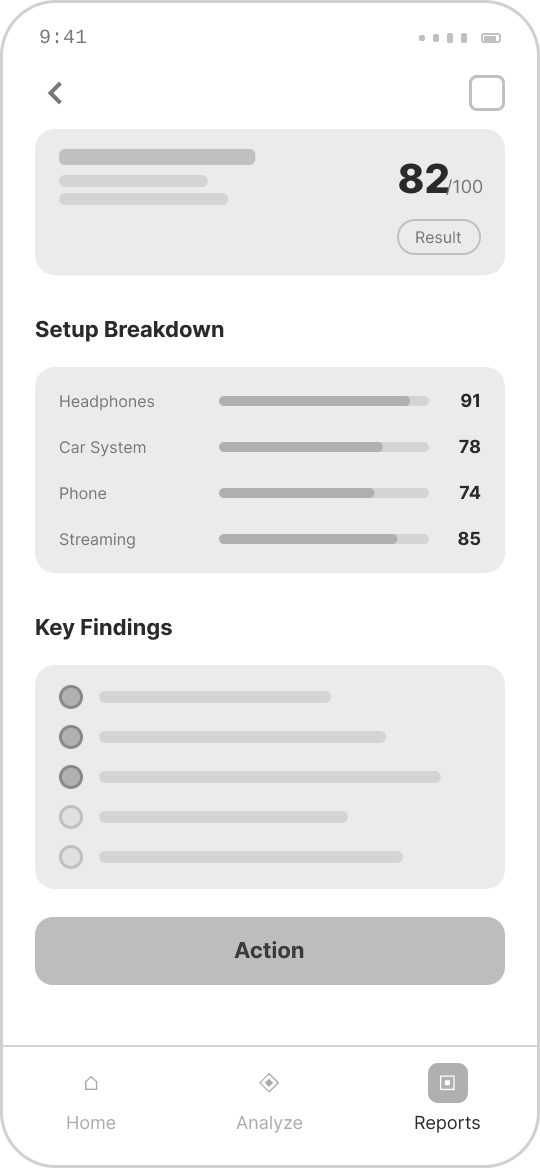
Key product screens
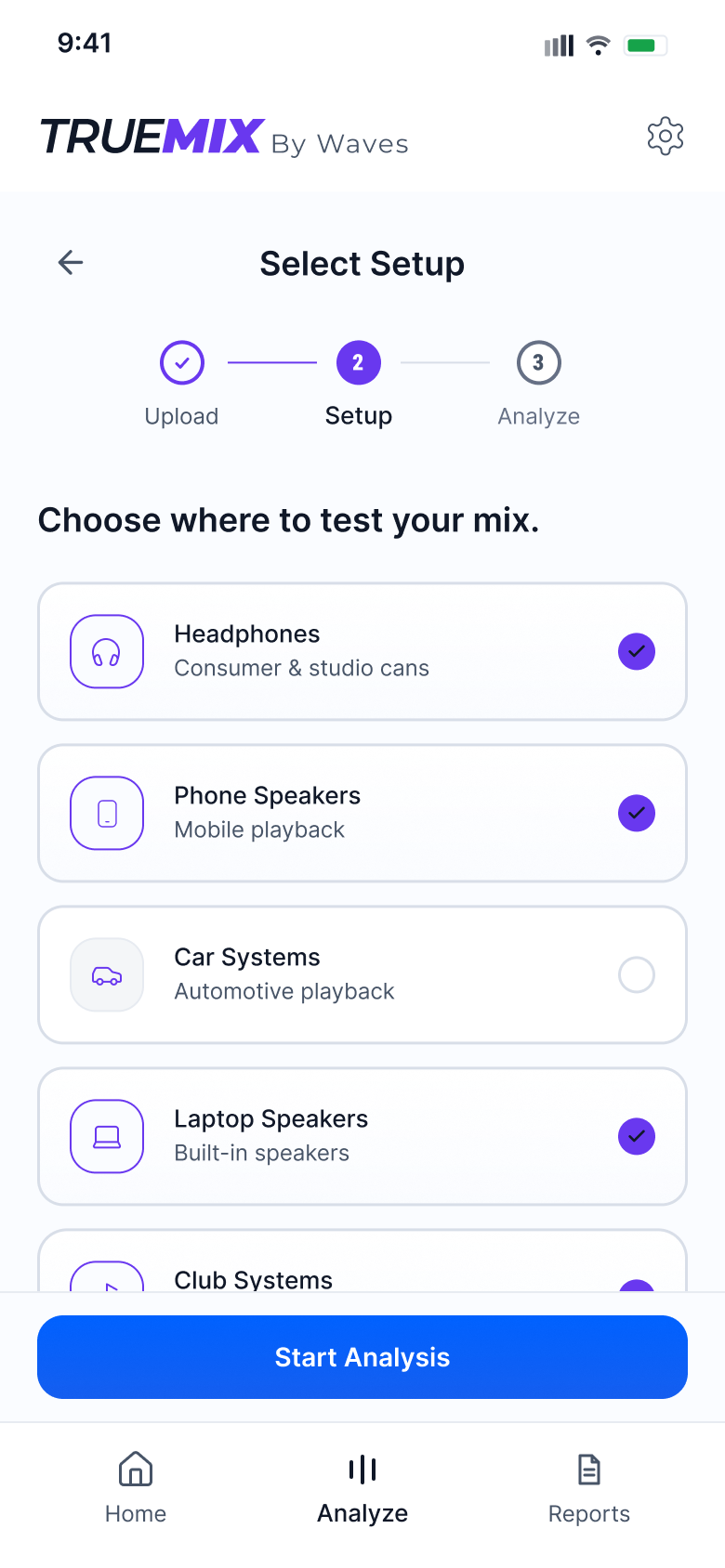
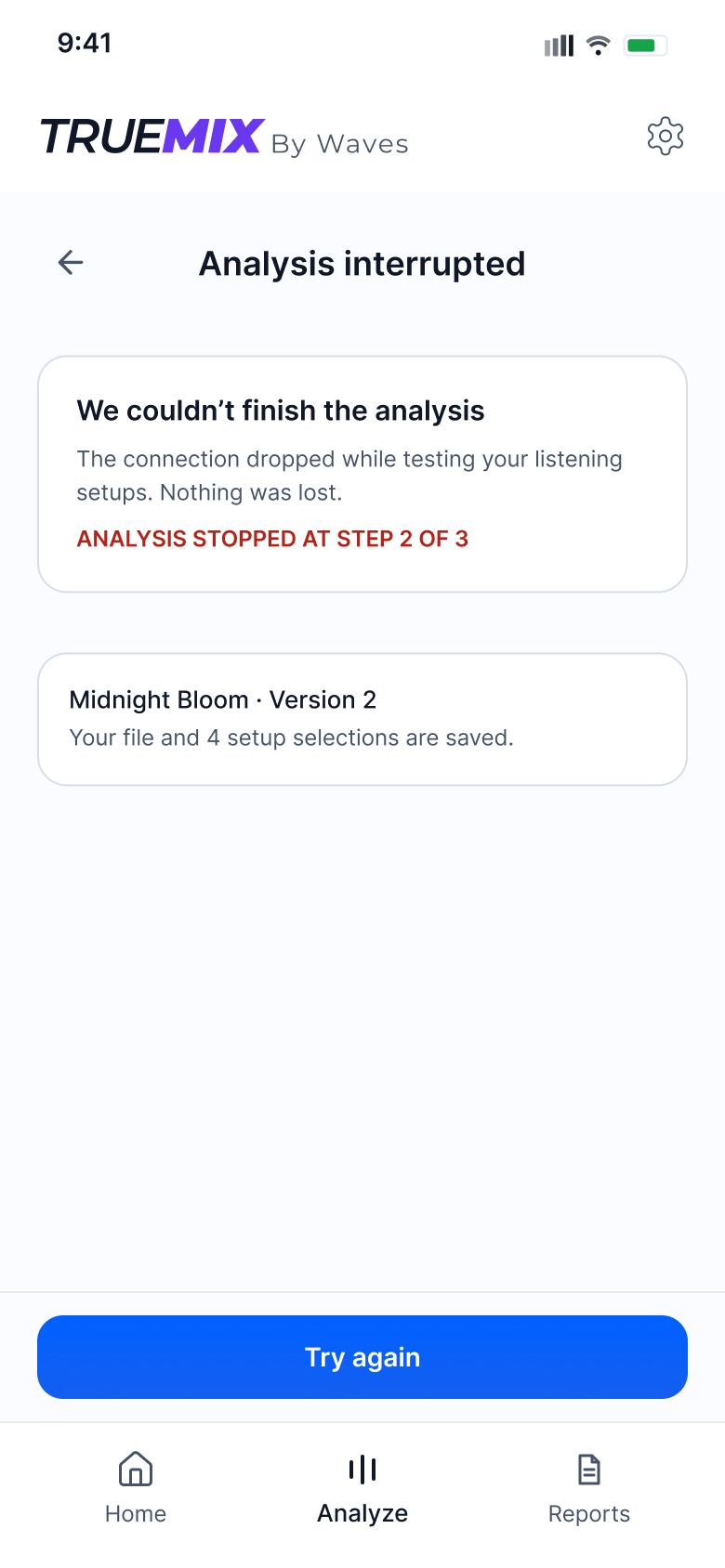
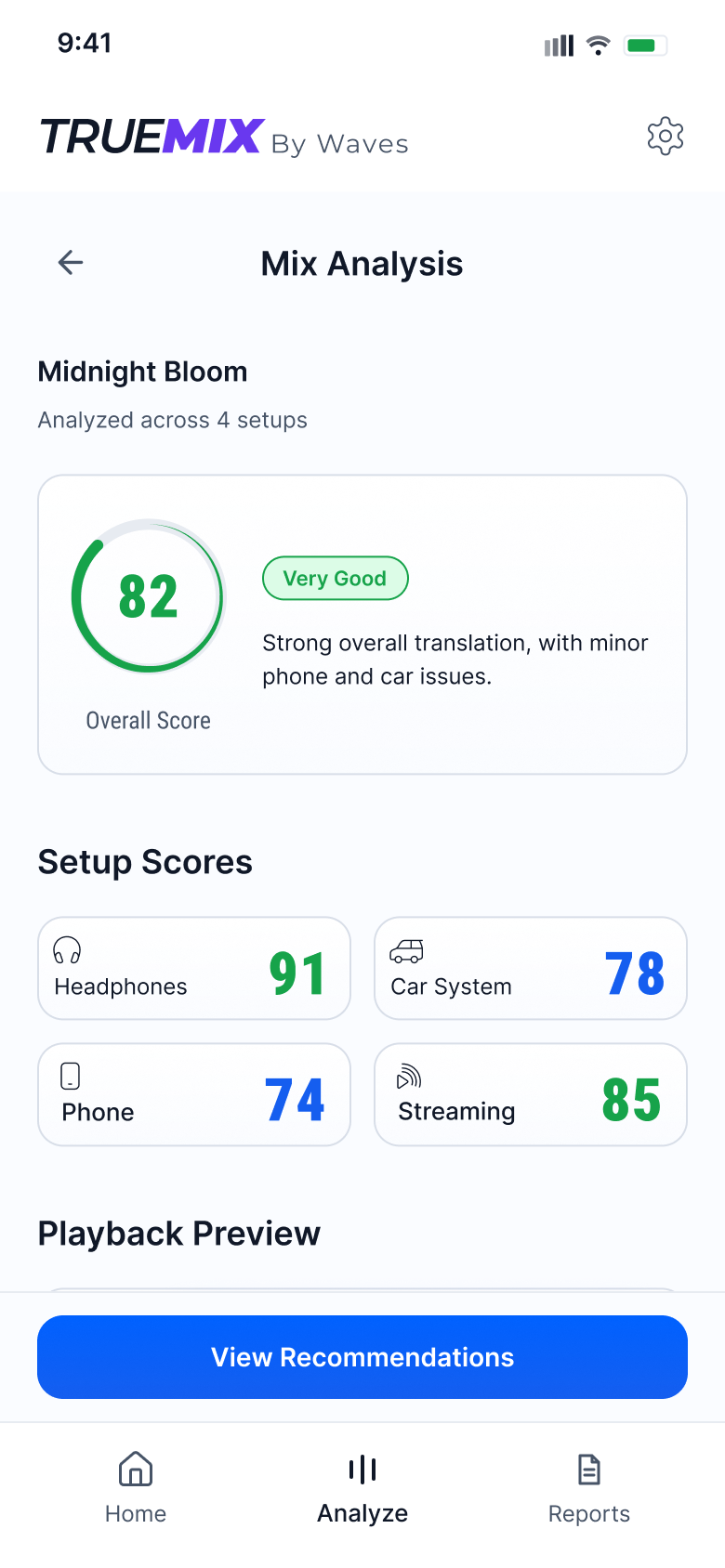
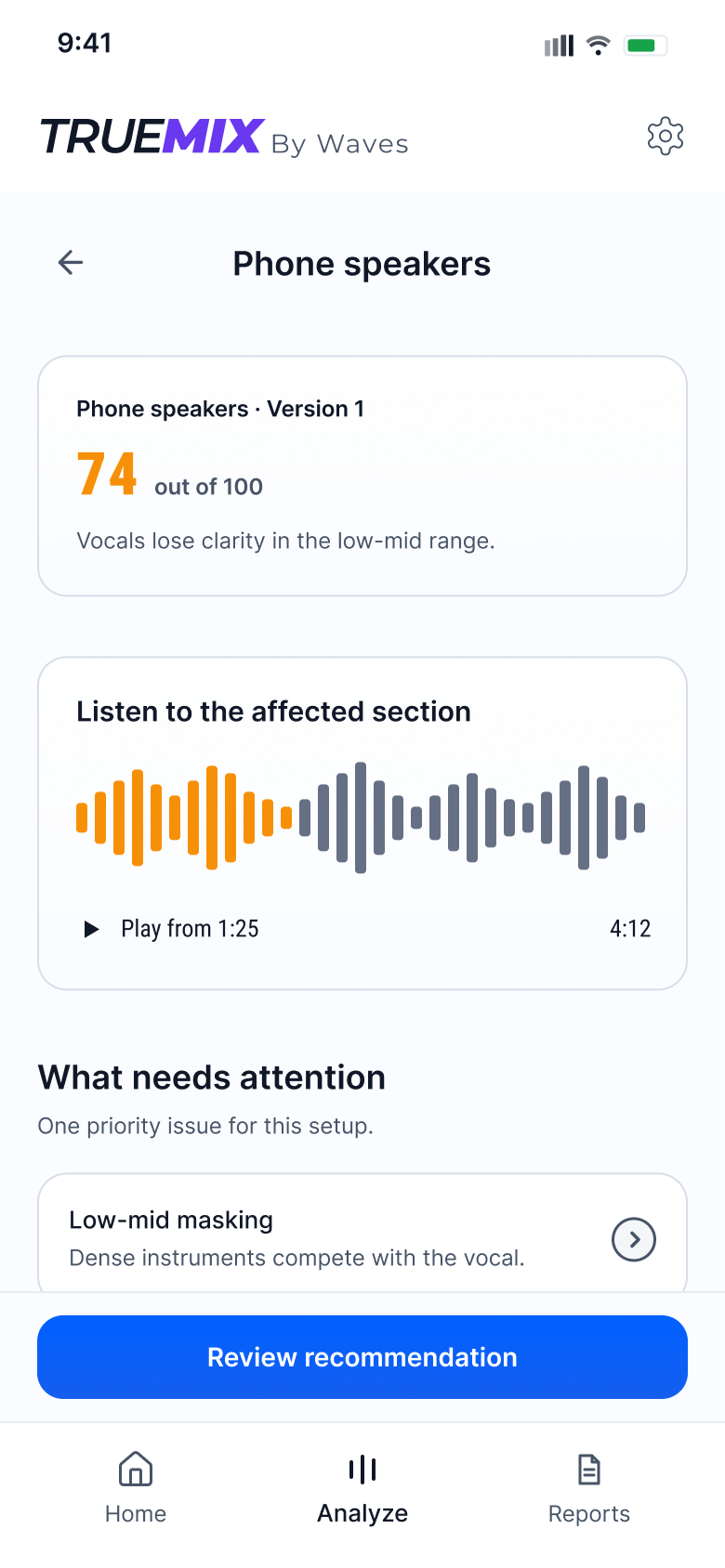
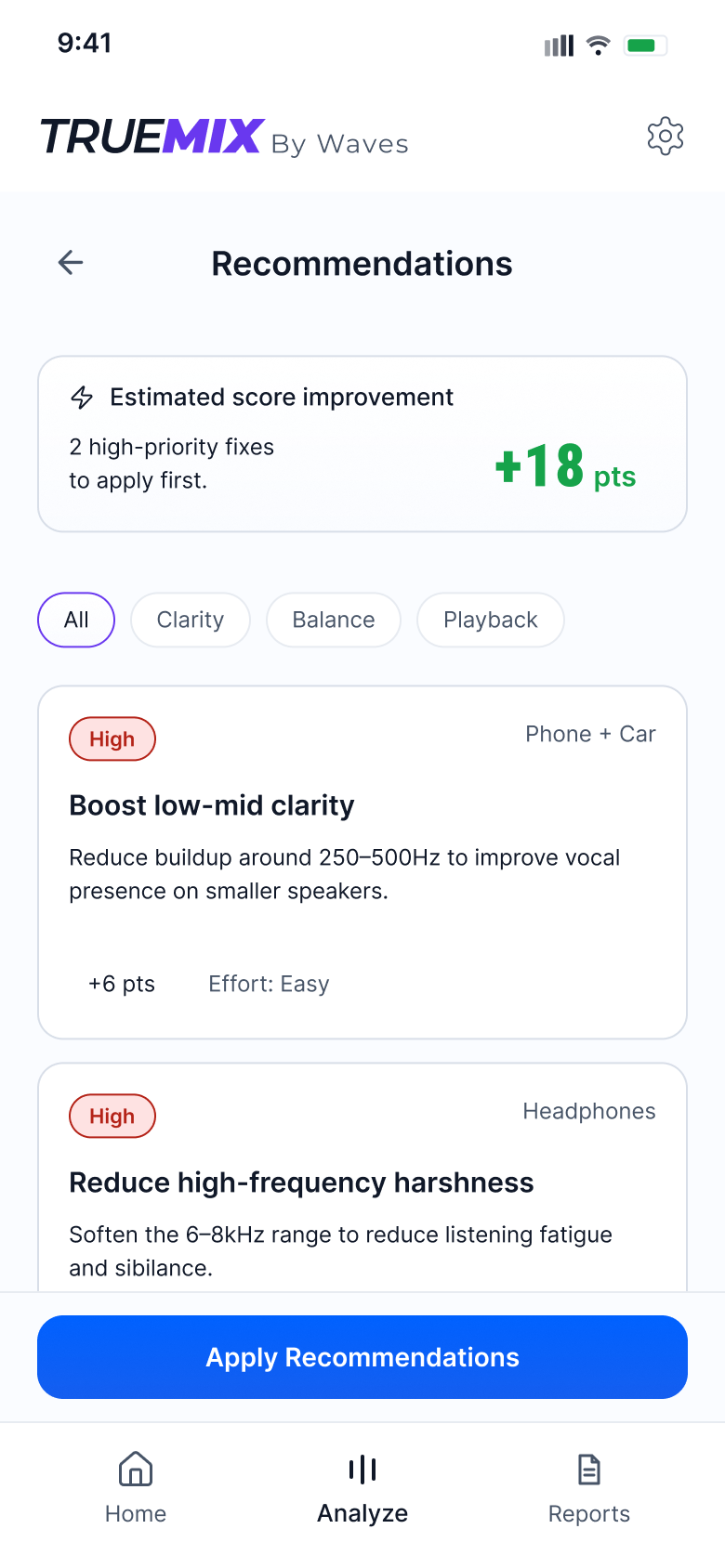
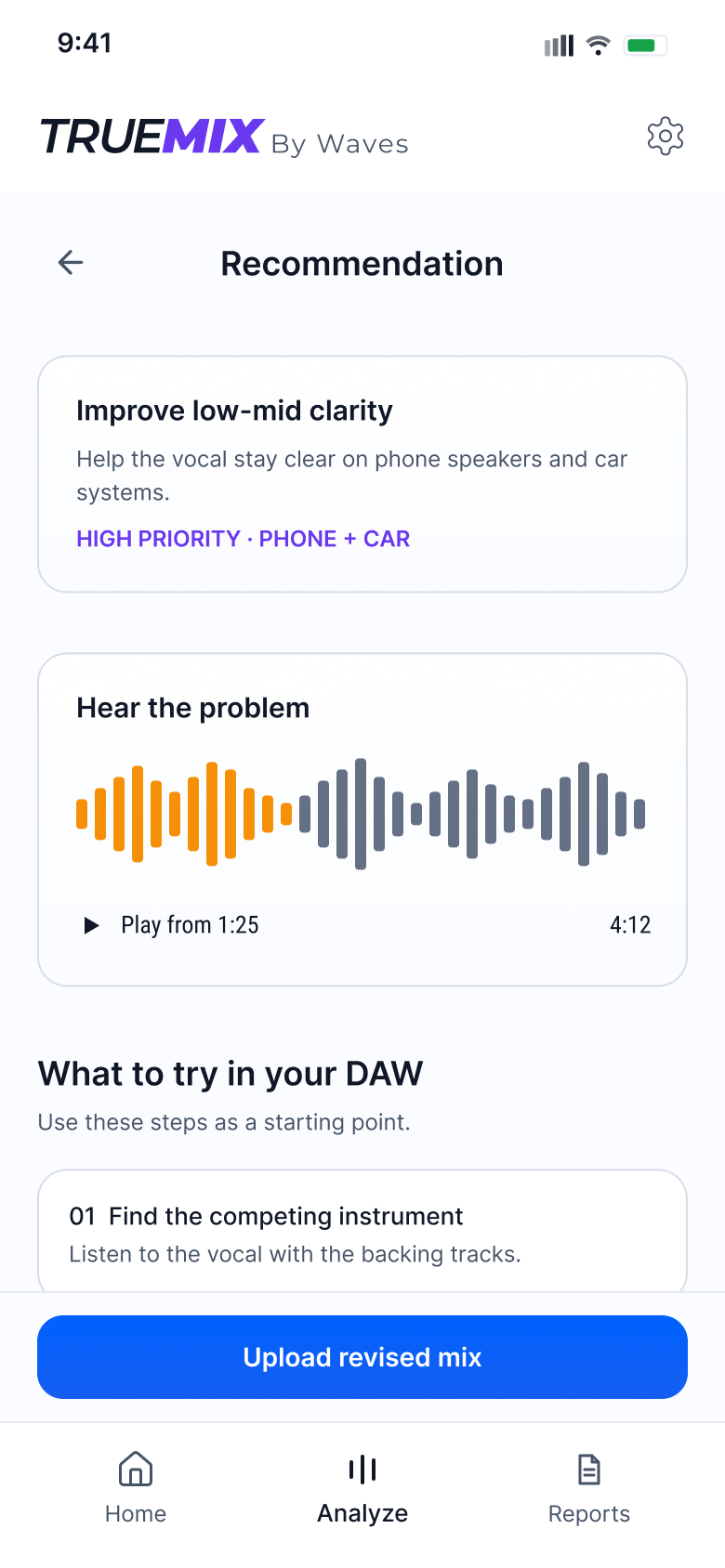
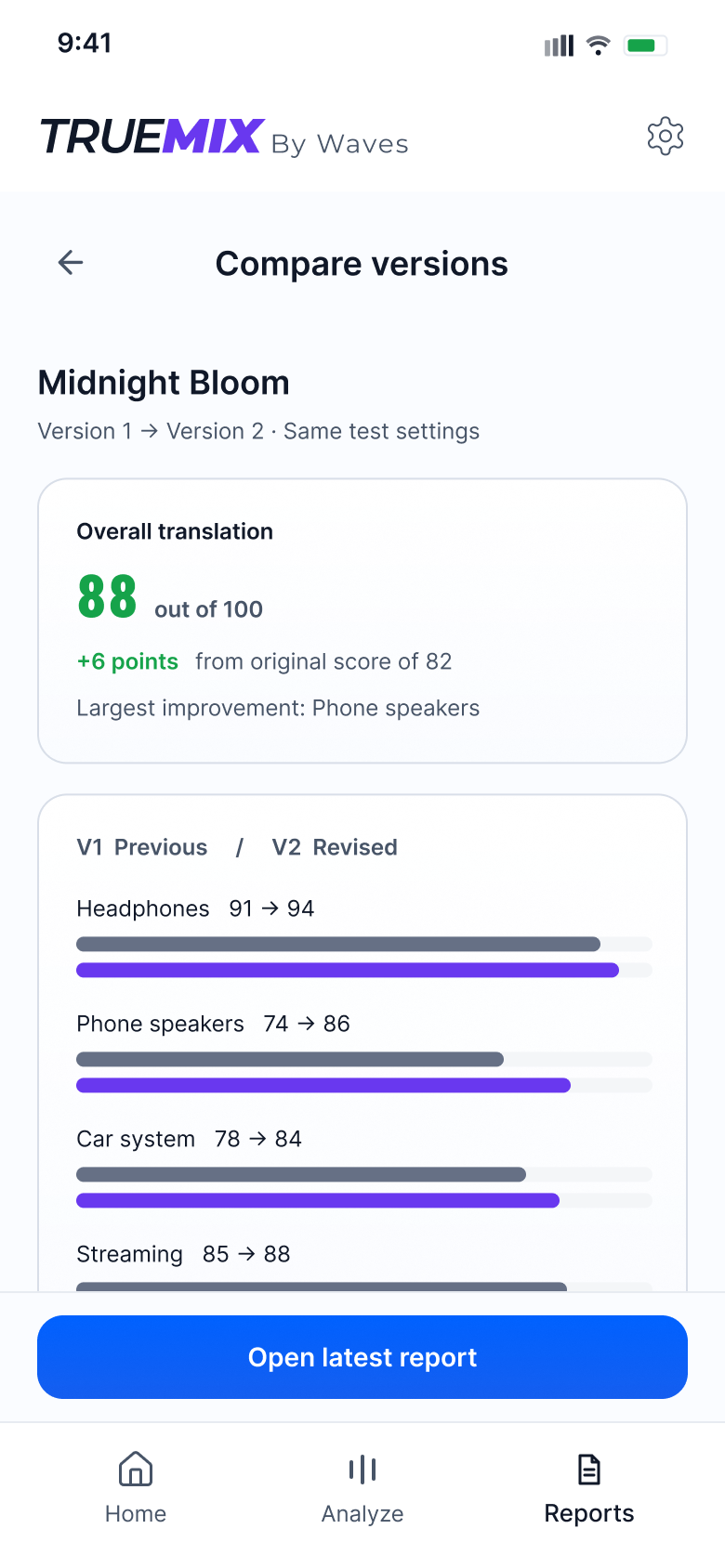
A complete review loop: choose playback setups, understand a weak result, try a focused fix and compare the revised mix. A failure state shows how the concept supports recovery.
Design system
A light system built for analysis: white surfaces, Inter for interface text, Roboto Condensed for scores, and status colors that make results readable at a glance.
View design system Hide design system
Typography
Inter keeps titles, labels and body text clean and legible. Roboto Condensed gives scores and numbers a compact, technical voice.
Color system
White and soft-grey surfaces keep the data readable. Blue and violet drive actions and selection, and green, orange and red mark score and priority states. The same variables also carry a dark theme.
Icon system
The icon system supports fast recognition across the review flow, from upload and setup selection to analysis, recommendations, reports, and saved sessions. Icons stay simple, monochrome, and functional so the interface remains focused on the mix feedback.
Components
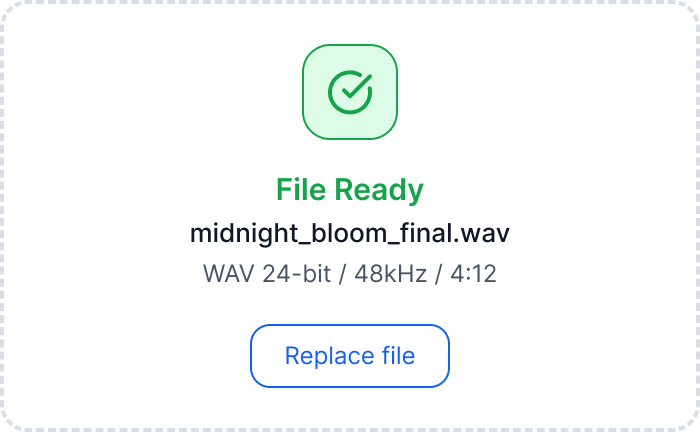
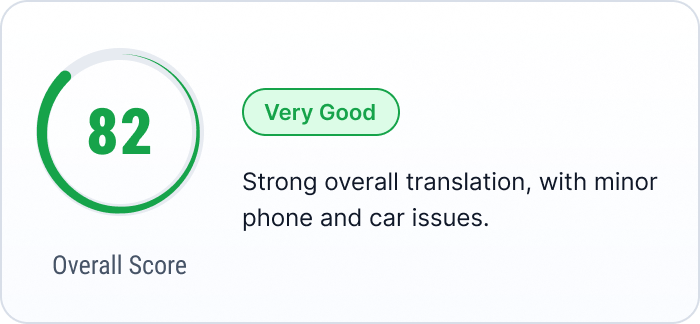
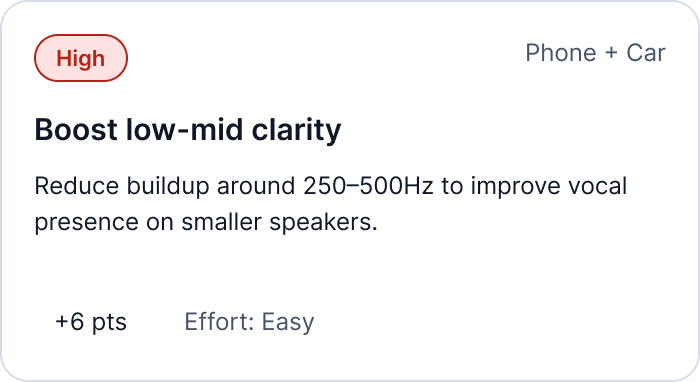
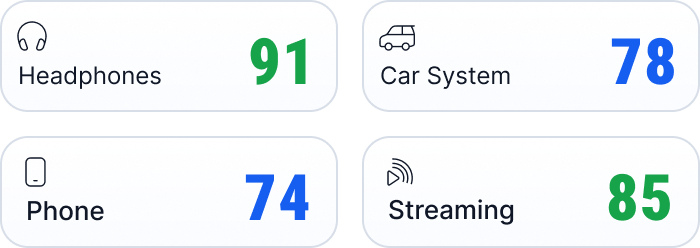
Reusable interface patterns help turn technical mix analysis into a clear mobile workflow. Cards, setup selectors, score modules, recommendation blocks, and action buttons keep the review process focused, readable, and easy to act on.


Key UX decisions
Four choices shape how the concept presents mix feedback. Their clarity and credibility still need to be tested with mixing engineers.
Setup-based testing over guesswork
Instead of: one generic mix-quality check.
Why: A problem on phone speakers may differ from one on headphones. Chosen playback setups give each example score and recommendation a concrete listening context.
One score, then the breakdown
Instead of: opening results with a wall of technical meters.
Why: An overall score offers an entry point, while the setup breakdown explains it. Testing should check whether this simplification helps or creates false confidence.
Prioritized, actionable fixes
Instead of: an unranked list of every issue.
Why: A creator close to release needs to decide what to work on first. Priority, affected setups and a suggested action make that decision easier to evaluate.
Shareable result reports
Instead of: feedback locked inside one review session.
Why: Mixes are revised and discussed with other people. Reports and version comparisons keep the feedback available for the next pass and for collaborators.
Outcome & next steps
TrueMix organizes example mix feedback into a scored review and a short list of next actions.
TrueMix is a self-initiated concept, not a launched audio-analysis product. I designed the upload, setup selection, results, recommendations and version-comparison journey, using ChatGPT and Claude during development. Scores and suggested gains are illustrative prototype content; the concept has not been tested with users.
I would first test whether mixing engineers understand and trust the score, and can turn a recommendation into a useful action. Real audio analysis would need separate validation. If implemented, I would track revised uploads, recommendation follow-through and report sharing, alongside listening-based evaluation.